

















Pixel Crypt - Action Game | Challenging Low-res Dungeon Crawler
Dive into Pixel Crypt, a challenging low-res dungeon crawler. Manage your hunger, fight through monster-filled floors, and discover multiple endings in this retro roguelike.
Enter the Pixel Crypt
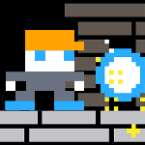
If you’re the type of player who misses the days when "graphics" meant squinting at sixteen pixels and imagining a dragon, Pixel Crypt is going to hit that nostalgic sweet spot. It’s a gritty, minimalist dungeon crawler that doesn't hold your hand. You pick your character, drop into a dangerous subterranean labyrinth, and pray the RNG is on your side.
What makes this stand out from the sea of "retro" clones is the actual weight of the choices. It’s not just about hacking through skeletons; it's about managing your resources while hunting for branching paths that lead to entirely different endings. It feels less like a modern "idle" game and more like a lost Game Boy Color title you’d find at a flea market—simple, addictive, and surprisingly punishing.
Survival and Exploration: How to Play
The gameplay loop is straightforward but gets tense fast. You’ll spend most of your time clearing rooms of monsters and smashing crates for loot. However, the "Crypt" part of the name is literal—you’re constantly balancing your aggression with your survival stats.
- Watch the Bars: Your health is obvious, but don't ignore the food meter. If you stop to admire the low-res scenery for too long, you’ll starve.
- The Shop is Life: Gold isn't just for a high score. You’ll need to find the shopkeeper frequently to restock on essentials or upgrade your gear if you want to survive the later floors.
- Cooldown Management: You can't just spam your way to victory. Watch the cooldown bars at the top of the screen; timing your shots and abilities is the difference between clearing a room and restarting from the beginning.
- Secret Hunting: There are hidden areas tucked away in the walls. If a corner looks suspicious, check it out—the best loot is rarely sitting out in the open.
Master the Controls
The game is built for fluid movement, and while it supports gamepads for that authentic console feel, the keyboard layout is tight and responsive.
Keyboard Input
- Movement: Arrow Keys
- Attack / Shoot: X Key
- Navigate Menus: Arrow Keys + X
Gamepad Equivalent
- Movement: D-Pad / Left Stick
- Attack / Shoot: A or X Button
- Navigate Menus: D-Pad + Face Button