







Gravity Golf - Physics-based Puzzle Game | Play Online for Free
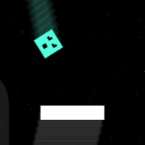
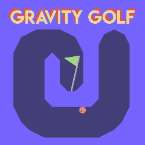
Forget the clubs—in Gravity Golf, you control physics. Flip gravity to navigate 22 challenging obstacle courses, avoid deadly spikes, and reach the hole in this addictive physics-based puzzle game.
Flipping the Script on the Fairway
Most golf games are about perfecting your swing power and calculating wind speeds. Gravity Golf throws all of that out the window in favor of something much more chaotic: letting you control physics itself. Instead of hitting the ball, you manipulate the gravitational pull of the entire course to roll, fall, and "fall upward" toward the cup. It’s less of a sports simulation and more of a high-speed physics puzzle that requires quick reflexes and a bit of trial and error.
How to Play
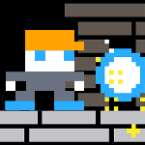
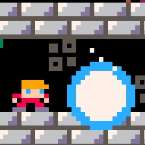
The core loop is deceptively simple but gets tricky fast. You start each hole with your ball at a standstill. Since you can’t "hit" the ball in the traditional sense, you have to use gravity to get it moving. By flipping the orientation of the world, you make the ball fall toward the ceiling or drop back to the floor.
The challenge comes from the red spikes and barriers scattered throughout the 22 holes. One wrong flip and your ball is toast. You’ll need to time your clicks perfectly to weave through narrow gaps or gain enough momentum to clear large obstacles. While there’s no stroke limit—meaning you can take your time—the real goal for most players is to see just how efficiently they can navigate the course. Just keep in mind that the game is a linear journey; once you move on to the next hole, you can’t jump back to previous ones without a full reset.
Master the Controls
The controls are responsive, which is vital since a millisecond's delay can send your ball into a spike.
On Desktop:
- Left Click: Toggle gravity. Click once to send the ball upward, and click again to bring it back down. You can spam this as much as you need to "hover" or stabilize the ball.
- R Key: This is your best friend. If you get stuck in a corner or lose momentum, tap R to instantly restart the current hole.
On Mobile/Touchscreen:
- Tap and Hold: Reverses gravity for as long as your finger is on the screen.
- Release: Gravity returns to its natural downward state.
Interface & HUD:
- Top Left: Keeps track of your current stroke count.
- Top Right: Features a dedicated restart button if you're playing on a tablet or don't want to use the keyboard shortcut.
Pro Tips for the Course
Watch Your Momentum: Gravity doesn't just move the ball; it builds speed. If you flip gravity too often, you might find yourself moving too fast to react to upcoming spikes. Sometimes, a "neutral" fall is better than a forced flip.
Unlimited Retries: Don't sweat a loss. The game is designed for experimentation. If you hit a red block, you’ll just respawn at the start of the hole you're currently on.