


















Color Lines 98 - 3D Marble Five-in-a-Row Game | Play Online for Free
Relive the classic Windows puzzle experience with Color Lines 98 in full 3D. Move marbles, match five-in-a-row, and survive the ever-filling board in this free online retro game.
Game Intro
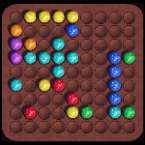
If you spent hours clicking away at an old Windows PC back in the day, this one is going to hit you with a massive wave of nostalgia. Lines 98 takes that quintessential "Color Lines" formula—where you desperately try to align colorful marbles before the board completely takes over—and brings it into a clean 3D space.
It’s exactly the five-in-a-row brain-teaser you remember, but played right in your browser for free. The premise is deceptively simple: keep the 9x9 grid clean. But anyone who has played this knows how quickly things spiral out of control once the board starts cluttering up.
How to Play
The entire game is a delicate balancing act. You are constantly trying to build your lines while managing the relentless influx of new marbles.
You start with five random colored balls on the board. On your turn, you pick up any ball and move it to an empty spot. The catch? The path has to be completely clear. Marbles can't jump over each other, so you have to navigate your piece through the empty grid spaces like a maze.
Your primary goal is to build a solid line of at least five marbles of the exact same color. You can string these together horizontally, vertically, or diagonally. Once you lock in that line of five (or more, if you're setting up massive combos to chase a high score), they vanish from the board.
Here is where the puzzle gets ruthless: every single time you move a marble and don't complete a line, the computer drops three brand-new balls onto random tiles. With seven different colors in the mix, the board gets messy very fast. However, if you successfully clear a line, you get a breather. The marbles pop, no new balls drop, and you essentially earn a free turn to set up your next move. You play until the grid is totally choked with marbles and you can no longer move.
Controls
The interface is incredibly straightforward and gives you great visual feedback as you play.
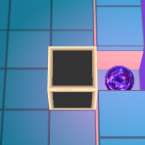
- Select: Just tap or click the marble you want to move. It will lift slightly off the board, and every single square it can legally reach will light up in gold.
- Move: Tap one of those lit-up gold squares to send your marble rolling into its new place.
If you make a misclick or just want to customize your setup, you can use these quick keyboard shortcuts instead of digging through menus:
- U - Undo your last move (an absolute lifesaver when you trap yourself)
- N - Start a new game
- M - Mute the game audio
- F - Toggle fullscreen mode so you can focus on the board