















Perfect+1 - Retro-styled Maze Puzzle Game | Play Online for Free
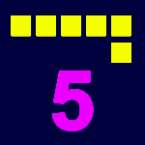
Think you are too fast? Perfect Plus 1 challenges you to beat 48 retro mazes by taking exactly one move more than the perfect path. Play this bite-sized puzzle online!
Finding the Beauty in the "Not-Quite" Perfect
Most puzzle games train our brains to be as efficient as possible. We’re conditioned to hunt for the "optimal" route, the fewest moves, and the cleanest execution. Perfect Plus 1 (or Perfect+1) takes that logic and gives it a playful, slightly maddening shove in the opposite direction.
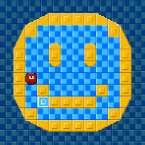
It’s a bite-sized, retro-styled experience where you navigate through 48 distinct mazes, ranging from simple warm-ups to sprawling grids that will have you second-guessing your spatial awareness. It feels like a lost handheld classic from the early 90s, but it demands a level of restraint that most modern games simply don't ask for.
How to Play: The Art of the Detour
The core mechanic is where the real brain-tickling happens. In any other maze game, seeing the exit right in front of you is a relief. In Perfect+1, it’s a trap. Your goal isn't just to reach the exit; it’s to reach it with exactly one move more than the perfect score.
- Analyze the Grid: First, look for the shortest possible path.
- Math the Move: If that "perfect" path is 3 moves, your target is 4. If the "perfect" path is 10, you must land on the exit on your 11th step.
- Find the Loophole: You have to identify a single, intentional detour—a side-step into a corner or a quick "lap" around a pillar—that adds that lone, extra move without overshooting the mark.
It’s a strange feeling to actively avoid the most logical solution, but once it clicks, the "aha!" moment is incredibly satisfying. It turns a standard navigation puzzle into a game of discipline.
Old-School Vibes and Tight Controls
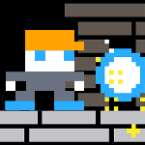
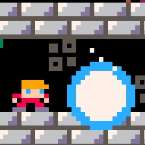
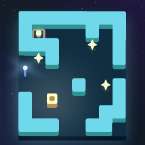
Visually, the game leans into a lo-fi, pixel-art aesthetic that keeps the screen clean and distraction-free. There’s no fluff here—just you, the maze, and the move counter. Because the puzzles get progressively larger across those 48 levels, the game offers several ways to keep your character moving smoothly:
- Keyboard: Standard arrow keys for that classic, tactile desktop feel.
- Touch Screen: Snappy swipe gestures that feel natural on a phone.
- Virtual D-Pad: A built-in controller that appears on-screen if you prefer the precision of a button-press over swiping.
It’s the kind of game you can pick up for thirty seconds while waiting for coffee, but because you're constantly trying to outsmart your own efficiency, it’s very easy to lose twenty minutes to "just one more level."