






Tap Away - Brain Training Game | Play Online for Free
Test your logic in Tap Away, a minimalist puzzle game where every move matters. Clear the board by grouping colors and master the shift to earn 3 stars. Play for free in your browser.
A Strategic Slice of Color-Popping Zen
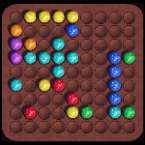
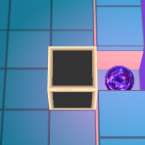
At first glance, Tap Away looks like your standard "click and pop" time-killer, but it doesn't take long for the difficulty to spike and turn it into a genuine brain teaser. It’s a minimalist puzzle game that prioritizes logic over luck. Unlike many match-3 games that rely on flashy power-ups to bail you out, this one is all about the "cascade"—understanding how the board will shift three moves ahead so you don't end up with a lone, un-poppable block staring you in the face.
The aesthetic is clean and distraction-free, which is a relief. It’s the kind of game you open when you have five minutes to kill, only to realize you’ve spent twenty minutes trying to figure out how to collapse a stubborn column of blue blocks.
How to Play
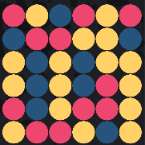
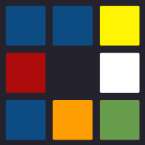
The core loop is simple: you’re clearing a grid of colored blocks. However, the "simple" part ends there. You can only remove blocks that are in groups of two or more. Once you tap a group, they vanish, and gravity takes over—blocks above will fall down to fill the gaps.
The real challenge comes from the horizontal shift. Once an entire vertical column is cleared, the remaining blocks will slide to the right to close the gap. Your goal is a total board clear. If you’re left with a single red block tucked away in a corner with no neighbors, it’s game over for that level. To snag those 3-star ratings, you have to find the most efficient sequence of taps possible, making sure every single block eventually finds a partner before the board gets too small.
Controls
The controls are as intuitive as the title suggests. Since the game is designed for both desktop and mobile, it’s all about the primary interaction:
- PC/Mac: Use your Mouse to hover over groups and Left-Click to remove them.
- Mobile/Tablet: Tap directly on any group of matching colored blocks.
- Menu Navigation: Use the on-screen buttons to restart a level if you realize you've made a tactical error (which will happen often).