












Amazing Track - Endless Arcade | Play Online for Free
Test your reaction time in Amazing Track, a fast-paced zigzag arcade game. Tap to stay on the path, collect coins, and see how long you can survive the endless drop.
A High-Speed Test of Your Reflexes
If you’ve ever played one of those games that makes you hold your breath without realizing it, you know exactly what Amazing Track feels like. It’s a minimalist, twitch-based arcade game that strips away the fluff and leaves you with one goal: don't fall off. It belongs to that "just one more try" genre where a single run might only last ten seconds, but you end up losing twenty minutes to it because you're convinced you can beat your previous high score.
The game is built on a narrow, suspended pathway that generates as you move. It’s clean, it’s fast, and it’s surprisingly hypnotic once you get into a rhythm. Since it runs directly in your browser, it’s a perfect distraction whether you're killing time on your phone or taking a quick break at your desk.
How to Play
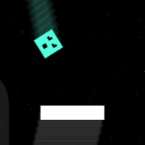
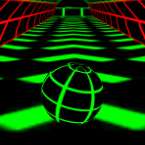
The concept is simple, but the execution is where it gets tricky. You control a ball that moves at a constant speed along a zigzagging path. The moment you start, the ball begins rolling, and it’s your job to keep it centered on the platform.
- The Turn: Every time you interact with the game, your ball makes a sharp 90-degree turn.
- The Timing: You have to time your clicks perfectly with the corners of the track. Click too early or too late, and you’ll go sailing into the void.
- The Rewards: While staying alive is the priority, you'll see coins scattered along the path. Snagging these is the real challenge, as they often sit dangerously close to the edges.
- The Difficulty: The further you progress, the more the track seems to shrink, and the faster your brain has to process the upcoming turns.
Controls
The controls are as minimalist as the game’s design, which means there’s no learning curve—just a skill curve.
- Desktop: Simply Left-Click anywhere on the game screen to switch directions.
- Mobile/Tablet: Tap the screen to toggle your movement between left and right.