



















Voltorb Flip - Strategy Game | Play Online for Free
Master the logic of Voltorb Flip, the iconic Game Corner minigame from Pokémon HeartGold and SoulSilver. Learn how to use deduction to avoid Voltorbs and maximize your coin rewards.
If you spent any time in the Johto region of Pokémon HeartGold or SoulSilver, you likely remember the Goldenrod City Game Corner. While the original games had slot machines, the Western releases gave us Voltorb Flip—and honestly, it’s one of the most addictive diversions in the entire franchise.
It’s essentially what happens if Minesweeper and Picross had a baby. Instead of just pulling a lever and hoping for the best, this is a game of pure deduction (and the occasional high-stakes gamble). You’re staring at a 5 X 5 grid of tiles, trying to find hidden multipliers to rack up Coins for those high-end TMs and rare Pokémon, all while trying to avoid the Voltorbs waiting to blow up your progress.
How to Play
The objective is simple but the execution is tense: you need to find all the "x2" and "x3" cards hidden behind the 25 tiles. Every time you flip a multiplier, your current score is multiplied by that number. If you find all the multipliers, you clear the level and move on to higher stakes.
However, the grid is also littered with Voltorbs. If you flip one, it’s game over—you lose all the coins you earned in that round and usually get demoted back to Level 1.
To win, you have to look at the clues provided at the end of every row and column. Each line shows:
- The total coin value of the cards in that line.
- The number of Voltorbs hiding in that line.
By cross-referencing these numbers, you can determine which rows are "safe" and which are likely to contain a bomb. For example, if a row shows 5 coins and 0 Voltorbs, every card in that row is a "1" and is safe to flip. If a row has a high coin count but only one Voltorb, that’s where your big multipliers are hiding. As you reach higher levels, the logic gets tighter and the margin for error disappears.
Controls
The interface is clean and designed for the DS touch screen, making it very easy to navigate:
- Select/Flip: Tap a tile directly to flip it over.
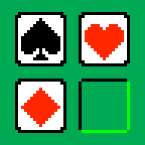
- Memo Mode: Tap the "Open Memo" icon (or use the shoulder buttons) to switch to marking mode. This lets you place small icons on tiles you think are Voltorbs or specific numbers so you don't forget your deductions.
- Quit: You can cash out your current winnings at any time if the board looks too risky to continue.