











Lexicontainer - Brain Bending Word Game | Play Online for Free
Think you’re a wordsmith? Lexicontainer blends tetromino spatial puzzles with classic word-building. Manage your score multiplier and clear the board before you run out of space.
A Tetris-Style Twist on Word Puzzles
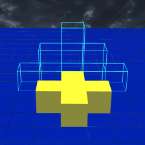
Most word games are just about your vocabulary, but Lexicontainer forces you to think spatially. It’s essentially what happens when you mash Tetris together with a crossword puzzle. Instead of just clearing lines, you’re dropping tetromino blocks—those familiar L, T, and Z shapes—onto a grid to spell out words.
It starts off feeling like a casual brain-teaser, but it gets surprisingly deep once you realize the board isn't just a container; it’s a scoring engine. You aren't just looking for "CAT" or "DOG"; you're trying to engineer massive, multi-word drops without painting yourself into a corner.
How to Play
The core loop is simple: you’re given a set of tetromino pieces, each embedded with specific letters. Your job is to fit these shapes onto the board so that they form valid words horizontally or vertically.
The real "hook" here is the risk-versus-reward mechanic. Every time you place a piece and don't form a word, your multiplier for the next successful word increases. It’s tempting to keep "missing" on purpose to build up a massive score modifier, but the board fills up fast. If you get too greedy and fail to clear space by forming words, you’ll find yourself with a jagged, unusable mess of letters and no room left to move. It’s a constant balancing act between chasing a high score and just trying to survive the round.
Controls
The interface is clean and snappy, making it easy to play whether you're on a desktop or a mobile browser:
- Click/Tap and Drag: Pick up a tetromino piece from your tray and move it onto the grid.
- Rotate: Tap the piece or use the Spacebar (on desktop) to flip the orientation.
- Place: Release your click or lift your finger to lock the piece into position.
- Undo: There is usually a back-step button if you realize your placement just blocked a potential five-letter word.